一、错误截图
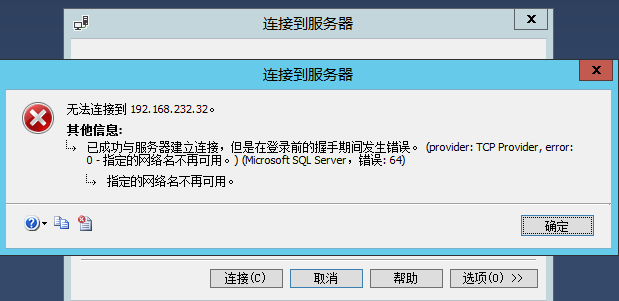
1、使用sa和windows用户认证登录都报错,错误如下:
已成功与服务器建立连接,但是在登录前的握手期间发生错误。 (provider: TCP Provider, error: 0 - 指定的网络名不再可用。) (.Net SqlClient Data Provider)
二、分析过程
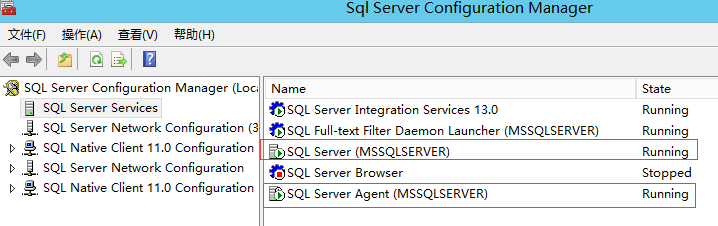
1、查看SQLServer服务,启动状态,没有问题
2、Telnet数据库端口,是通的,说明端口没有问题
3、查看事件查看器,发现报错如下:
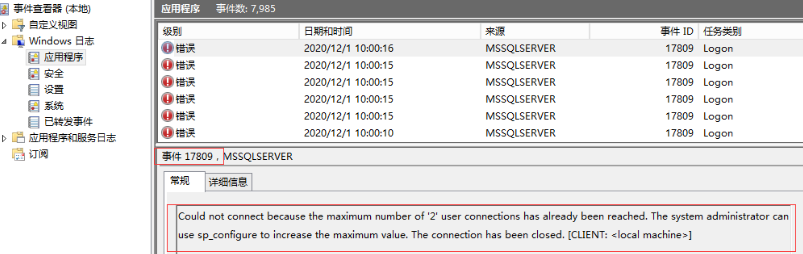
Could not connect because the maximum number of '2' user connections has already been reached. The system administrator can use sp_configure to increase the maximum value. The connection has been closed. [CLIENT: <local machine>]
翻译后:无法连接,因为已达到“2”用户连接的最大数目。系统管理员可以使用sp_configure来增加最大值。连接已关闭。[客户端:<local machine>]
三、解决办法
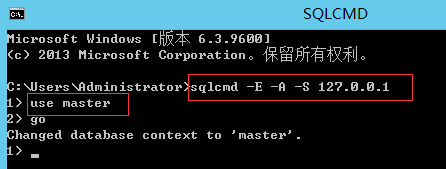
1、使用sqlcmd登录数据库,并进入master数据库
命令:
sqlcmd -E -A -S 127.0.0.1
use master
go
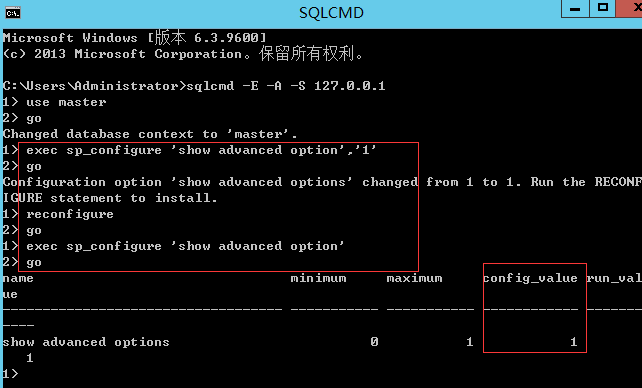
2、打开高级选项
命令:
sp_configure 'show advanced options',1;
go
reconfigure;
go
sp_configure 'show advanced options';
go
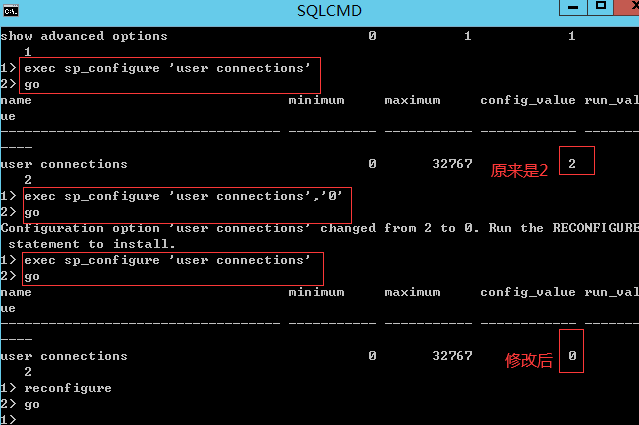
3、设置用户连接数为0(表示无限制)
命令:
sp_configure 'user connections','0';
go
reconfigure;
go
sp_configure 'user connections';
go
4、重启数据库服务,再次登录成功
注:命令行实际执行命令如下:
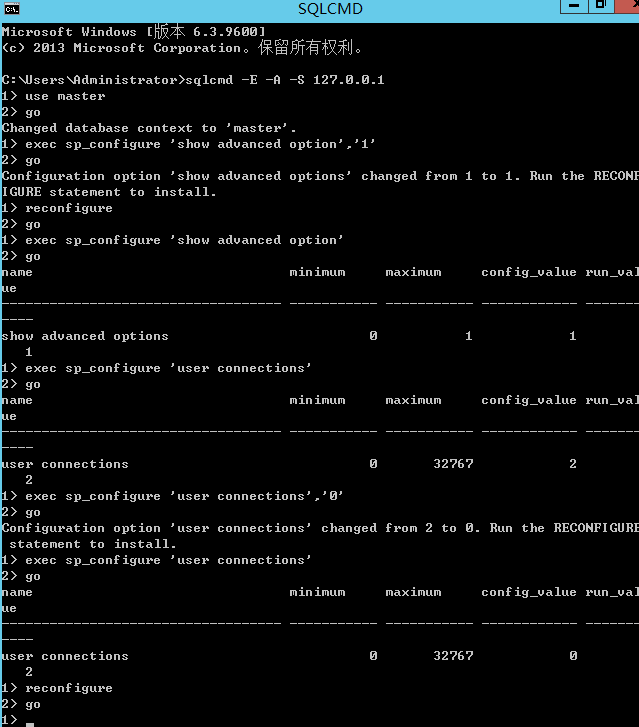
Microsoft Windows [版本 6.3.9600]
(c) 2013 Microsoft Corporation。保留所有权利。
C:\Users\Administrator>sqlcmd -E -A -S 127.0.0.1
1> use master
2> go
Changed database context to 'master'.
1> exec sp_configure 'show advanced option','1'
2> go
Configuration option 'show advanced options' changed from 1 to 1. Run the RECONF
IGURE statement to install.
1> reconfigure
2> go
1> exec sp_configure 'show advanced option'
2> go
name minimum maximum config_value run_val
ue
----------------------------------- ----------- ----------- ------------ -------
----
show advanced options 0 1 1
1
1> exec sp_configure 'user connections'
2> go
name minimum maximum config_value run_val
ue
----------------------------------- ----------- ----------- ------------ -------
----
user connections 0 32767 2
2
1> exec sp_configure 'user connections','0'
2> go
Configuration option 'user connections' changed from 2 to 0. Run the RECONFIGURE
statement to install.
1> exec sp_configure 'user connections'
2> go
name minimum maximum config_value run_val
ue
----------------------------------- ----------- ----------- ------------ -------
----
user connections 0 32767 0
2
1> reconfigure
2> go
1>
查看更多关于SQLServer登录数据库报网络名不可用的错误(事件17809)的详细内容...